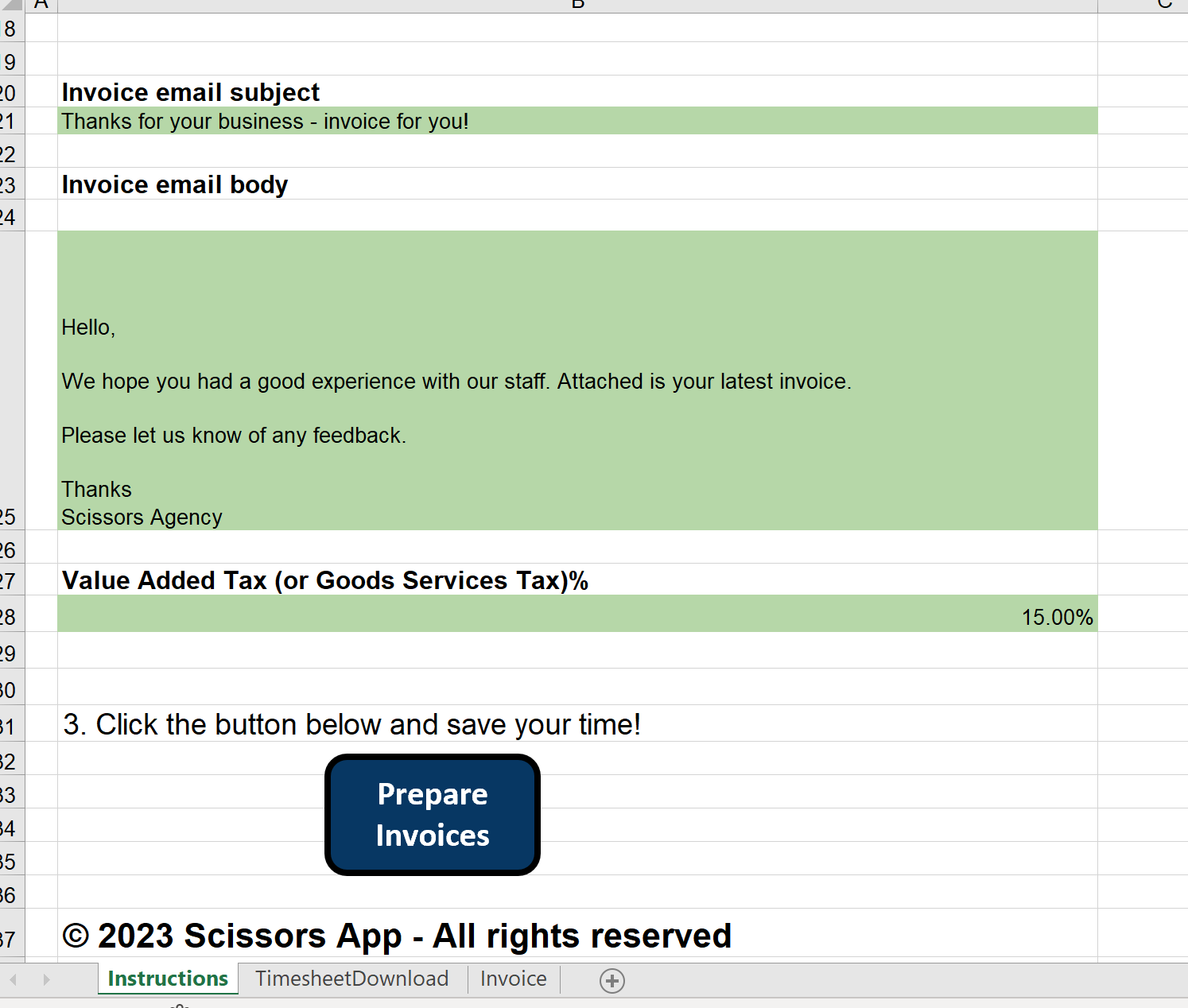
Microsoft Excel Invoice Generator Guide
Download and Set Up the Tool
- Click the link for the Microsoft Excel version of our tool, from the email you received
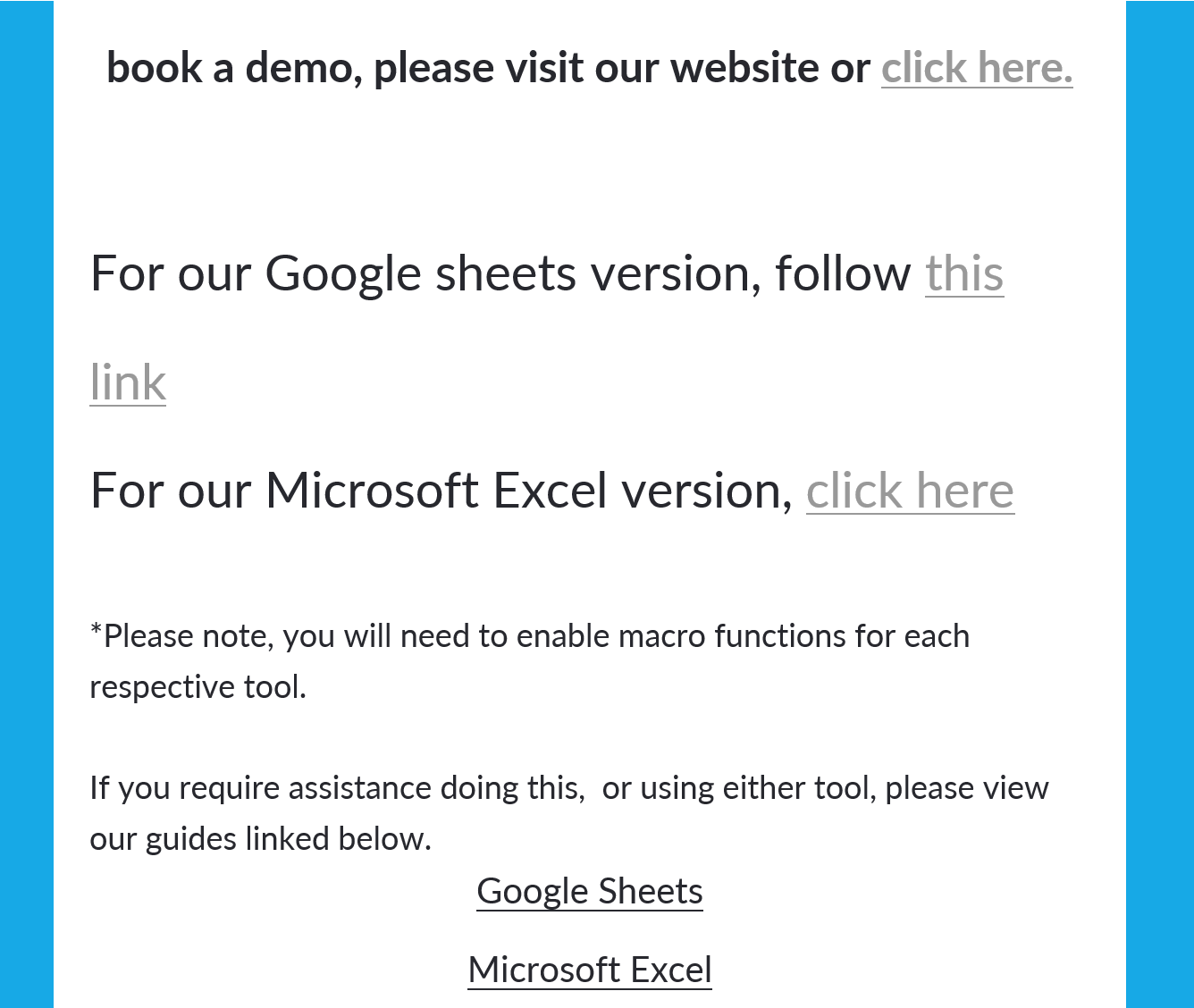
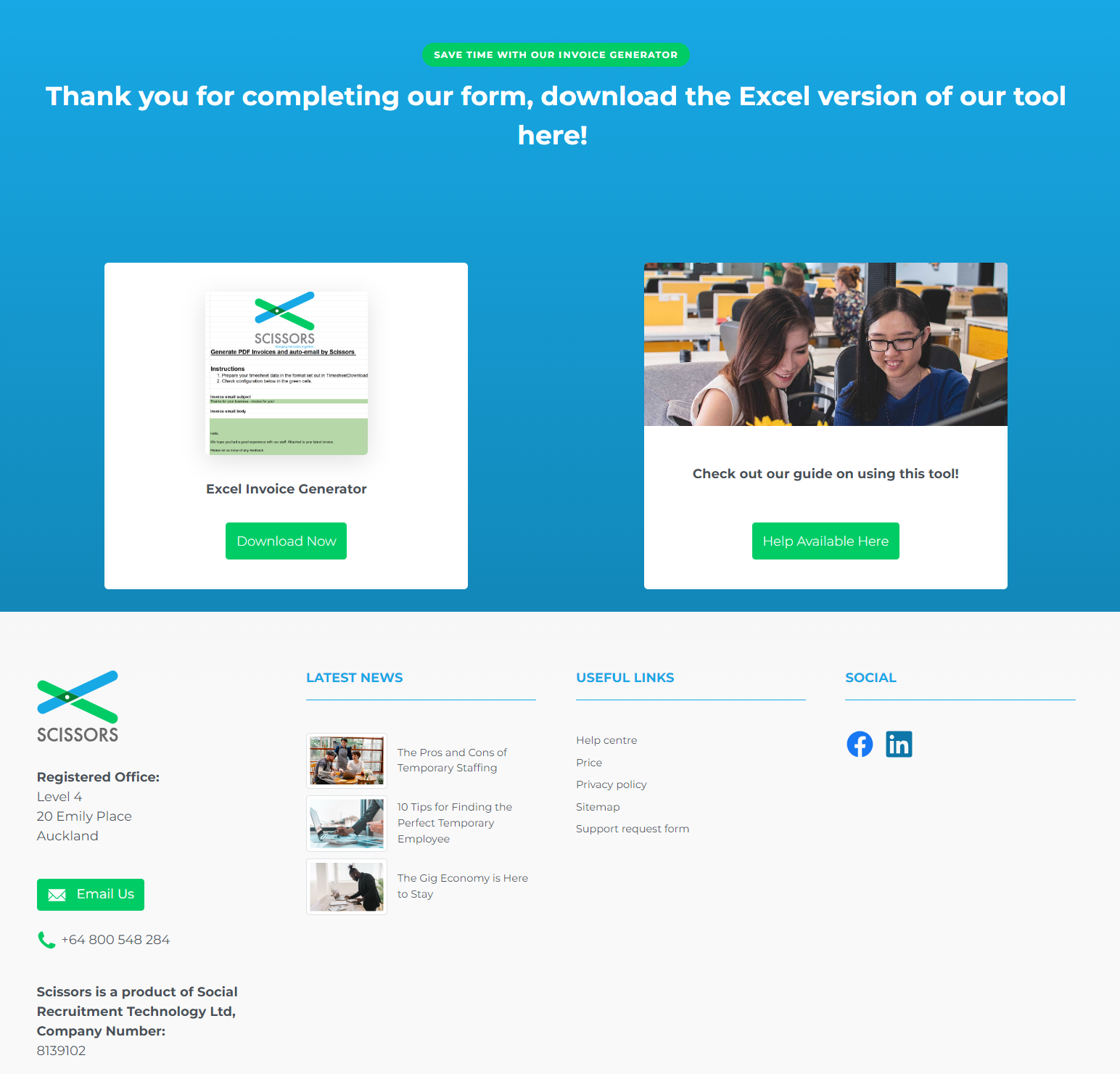
- The link will take you to this landing page, where you download the excel file from
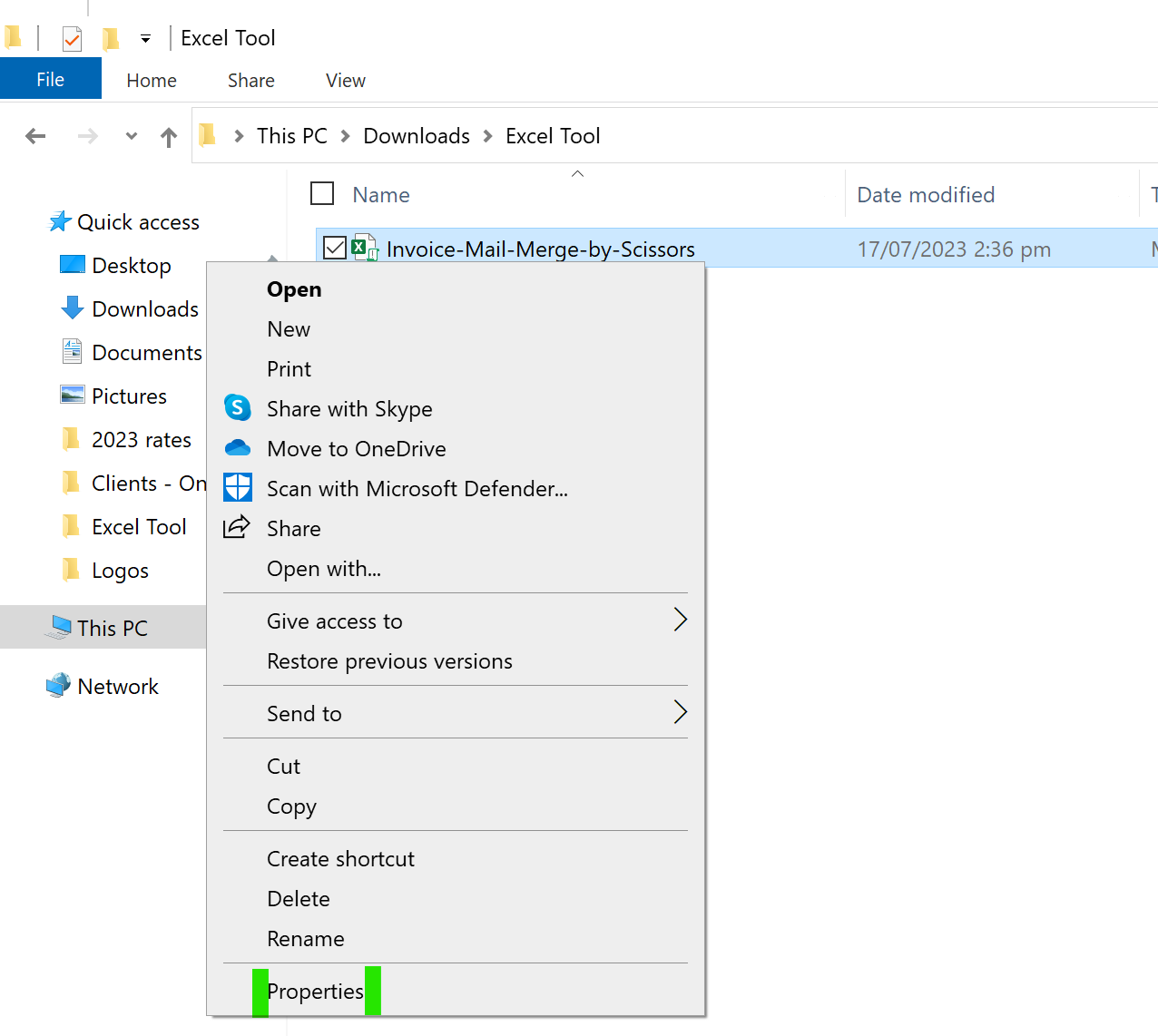
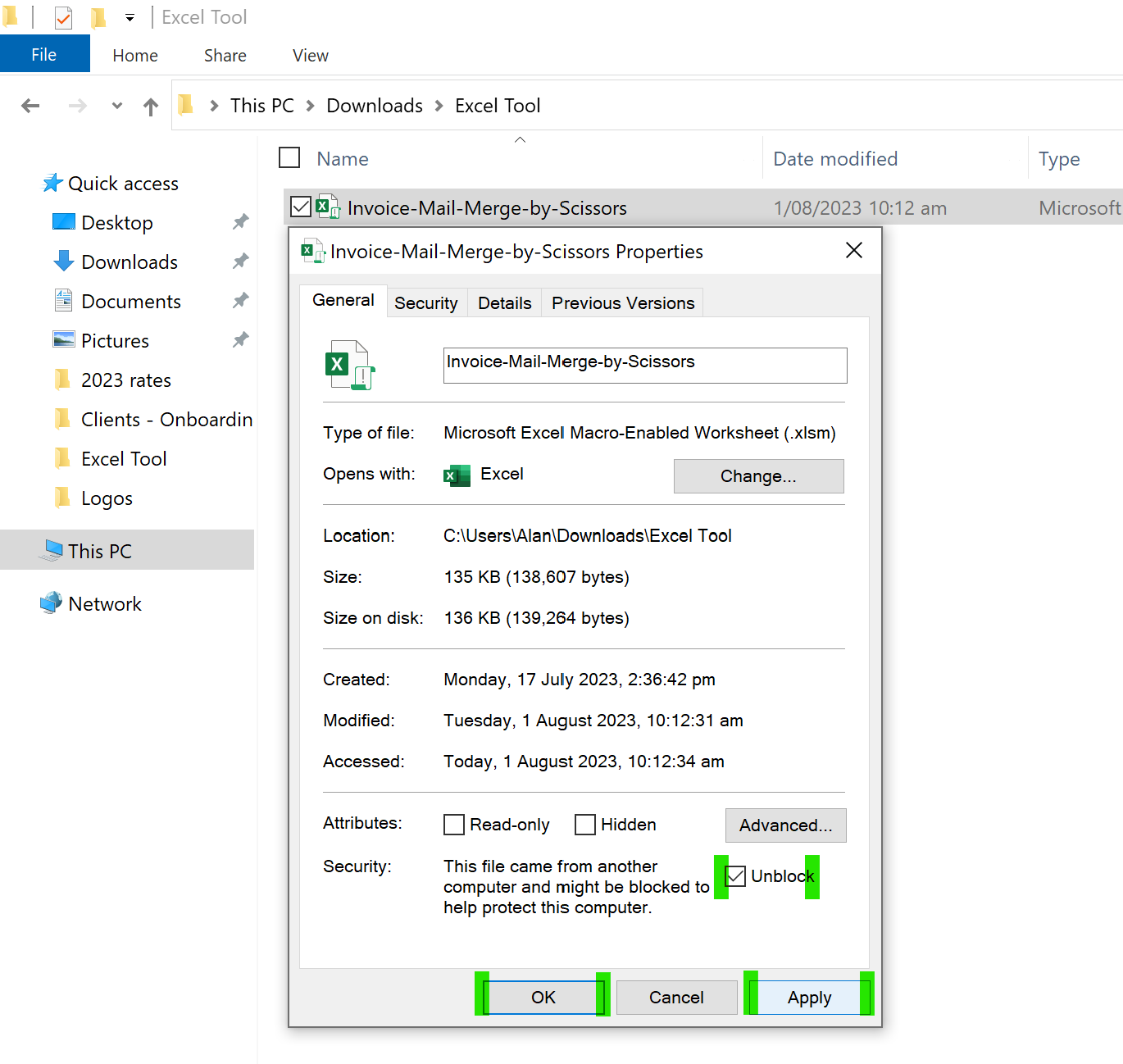
- Once you have downloaded the file, locate it in your downloads and right click it to select the properties
- In the properties, at the bottom of the General tab, click the unblock box, Apply - then Ok
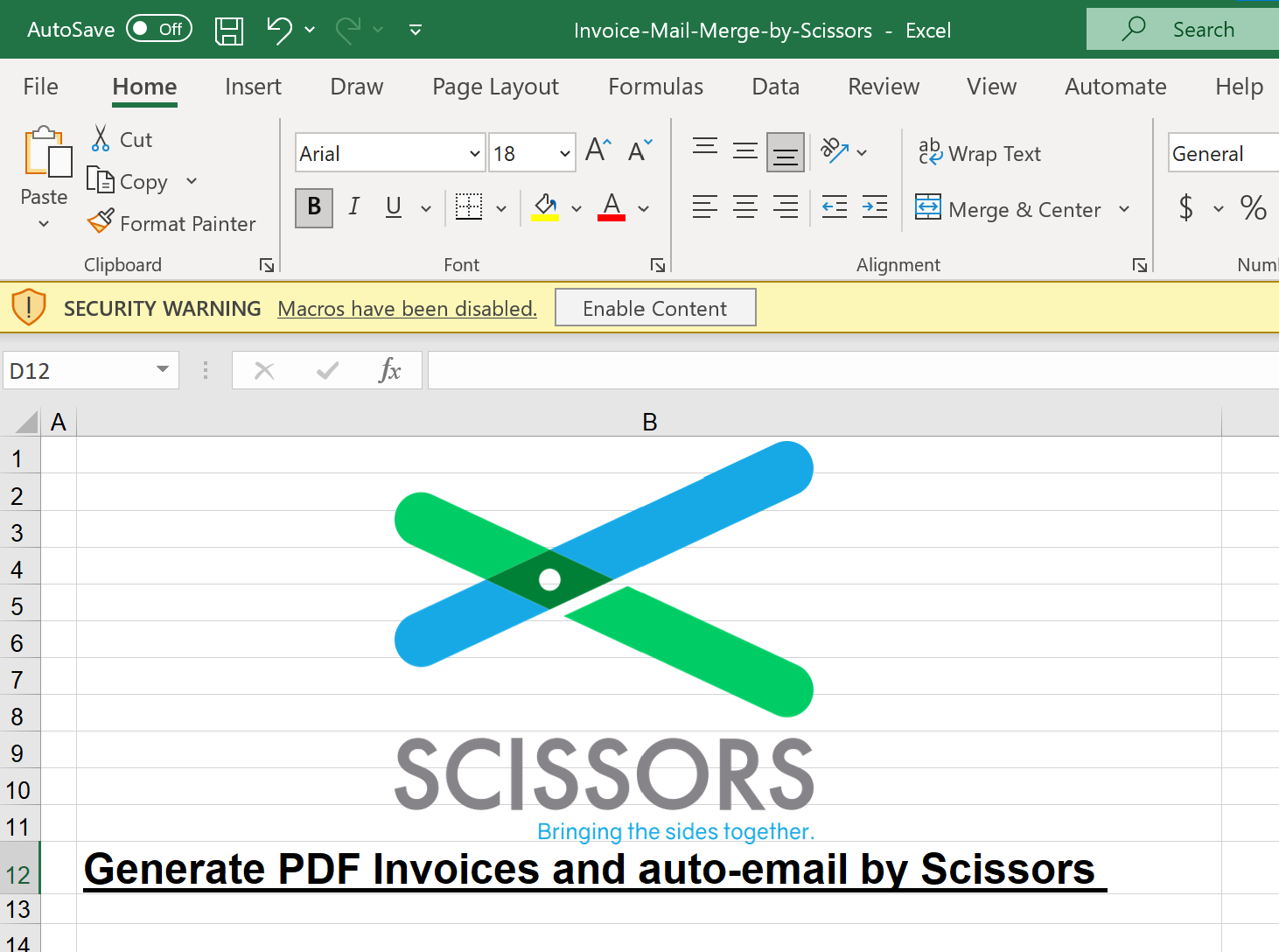
- Open the excel file after unblocking the macro function, and click the enable content button at the top
Customize It With Your Company Branding
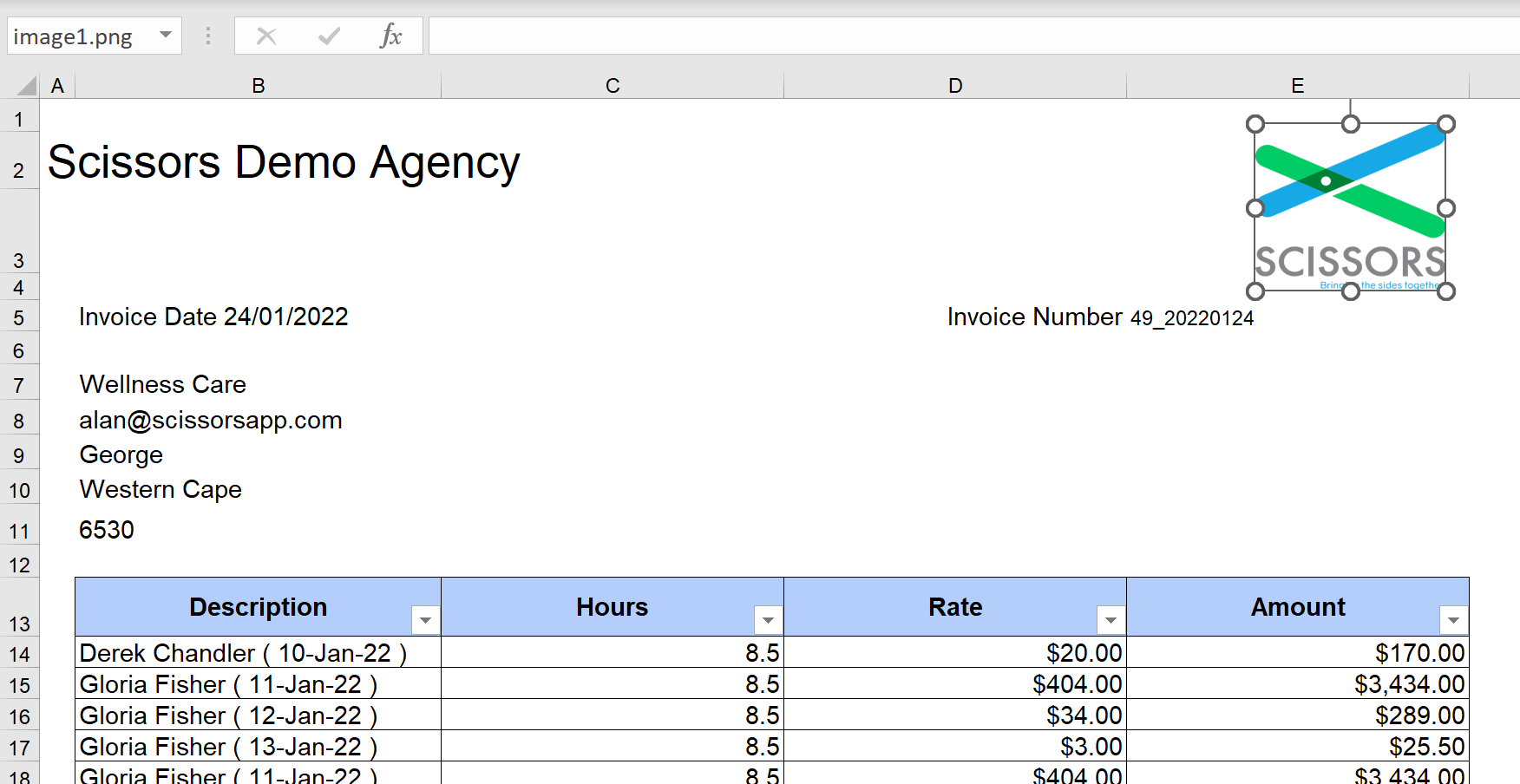
- Now that the tool is enabled, make sure to change the company logo and name on the invoice template
Start Generating Professional Invoices
- Update the Invoice Email Body to include your company name, and the relevant Value Added Tax for your business.
Then click prepare invoices to send your clients their invoices!